Port Scan for Mac
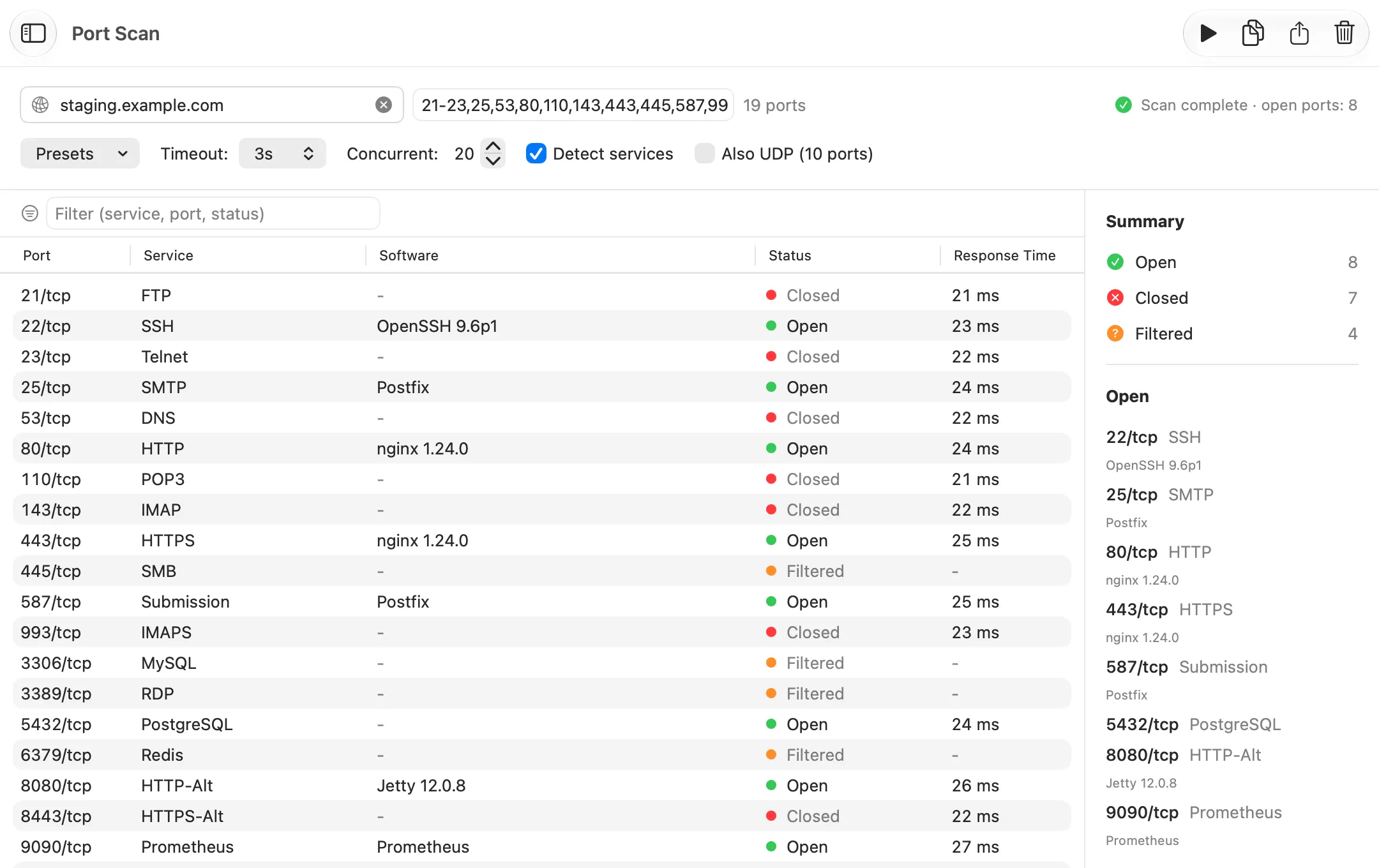
Port Scan checks which ports on a host accept connections and which software answers on them. Netutilus does it natively on macOS, with nmap-style port lists, service detection and an optional UDP pass. Free.
Download on the Mac App Store ↗
free to download · macOS 14.6 or later
$ brew install nmap
$ nmap -sV example.com
What it’s for
Every network service listens on a numbered port: websites on 443, SSH on 22. Port Scan tries a range of ports on a host and reports which ones accept a connection. Scan only hosts you own or have permission to test.
Use it when
- You set up a server and want to see what it exposes.
- A service doesn’t work, and you want to know whether its port is open at all.
- You want to check that a firewall blocks what it should.
Reading the result
The summary beside the table counts each state and lists the open ports.
What you might see
- Everything filtered, on a device in your home. macOS may be blocking the scan. Netutilus needs Local Network access, in System Settings › Privacy & Security › Local Network. A hint appears when this looks likely.
- Every UDP port Open|Filtered. Normal for a host on the internet: many networks suppress the replies that would show a port closed. A note under the summary says so.
- An open port you didn’t expect. See what the Software column says, then stop that service or block the port.
Options worth knowing
- Ports takes ranges and lists, such as
22,80,443,8000-8100. - Detect services reads what each open port says about itself, after the scan.
- Also UDP probes ten common UDP services, each with a request in its own protocol.
- Right-click an open port to open it in your browser, or to check its certificate in SSL Certificate.
Related
- Ports, what they are.
- LAN Scanner finds the devices on your network, and checks the services of each.
Try Port Scan on your Mac
Netutilus puts every network tool in one app. Free to download; Pro is a one-time purchase, never a subscription.
More in Network Tools
- iperf3Measures the speed between this Mac and another machine running iperf3, upload and download.
- Path CheckShows how your Mac reaches the network, and whether a host answers on the ports you need.
- Subnet CalculatorWorks out a subnet's range, mask and size from any way it's written, and splits it into smaller ones.