Netutilus — Network Utility for Mac
Ping, traceroute, MTR, DNS, Whois, SSL, port scan, speed test, LAN scanner, Wi-Fi analyzer and uptime monitor in one native app. Apple removed Network Utility from macOS; this is what you use instead. No Terminal, no account, no tracking.
Download on the Mac App Store ↗
free to download · Pro is a one-time purchase, no subscription · macOS 14.6 or later
Tools
Grouped the way the app groups them. Pro tools are marked; everything else is free.
Diagnostics
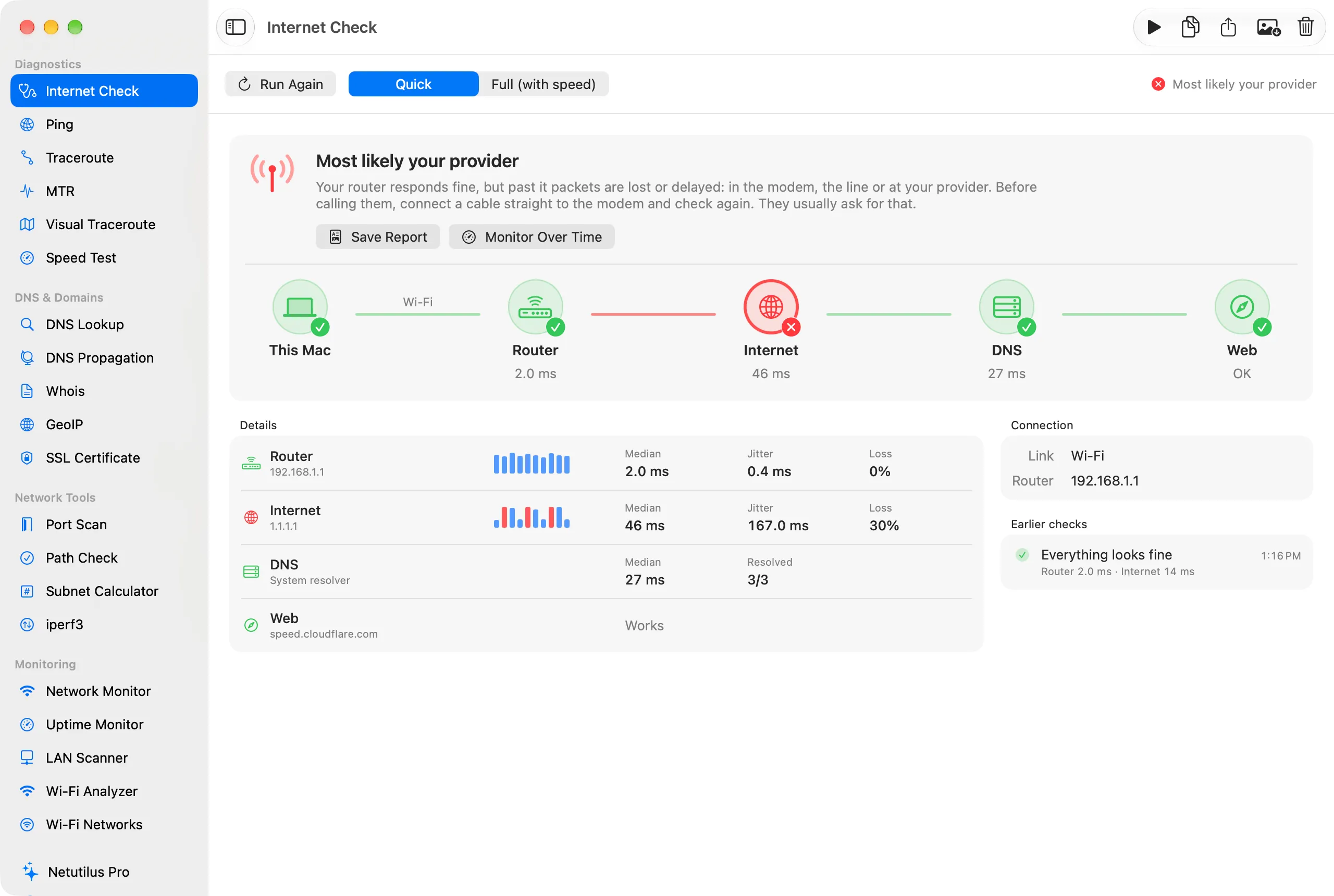
- Internet CheckYour Wi-Fi or your provider? One click, one verdict.
- PingTCP or ICMP, up to 10,000 probes, with a live chart.
- TracerouteEvery hop to a host, with its latency.
- MTRproContinuous traceroute with loss at every hop.
- Visual TracerouteproThe route drawn on a world map.
- Speed TestDownload, upload, latency and a bufferbloat grade.
DNS & Domains
- DNS LookupAny record type, from any resolver.
- DNS PropagationCheck a change across resolvers worldwide.
- WhoisDomains, IP addresses and AS numbers.
- GeoIPCity, country, ISP and AS for any IP.
- SSL CertificateThe chain, its dates and the days left.
Network Tools
- Port ScanTCP scan with service and version detection.
- Path CheckIs a host:port reachable, and by which route.
- Subnet CalculatorCIDR maths, offline.
- iperf3proThroughput against your own iperf3 server.
Monitoring
- Network MonitorInterfaces, addresses, gateway and VPN tunnels.
- Uptime MonitorproScheduled checks, alerts and a menu bar status.
- LAN ScannerproEvery device on your network, plus Network Guard.
- Wi-Fi AnalyzerproSignal, noise and a Wi-Fi-or-internet verdict.
- Wi-Fi NetworksproThe networks nearby and the best channel.
Fix a problem
Start from what you see. Each guide goes from the quickest check to evidence for your provider.
- A Website Won't OpenFind out whether a site is down, unreachable from your network, or just not resolving.
- Is My VPN Working?Check that a VPN hides your address, and get warned when it drops or leaks.
- Measure the Speed Between Two of My MachinesUse iperf3 to measure your Wi-Fi and wired links between this Mac and another computer or a NAS.
- The Internet Is Slow or Keeps DroppingFind out whether it's your Wi-Fi, your router or your provider, and collect evidence you can show them.
- Video Calls Lag or FreezeFind out whether a busy line is behind choppy calls and games, and how to fix it.
- Watch a Server and Get Alerted When It Goes DownSet up Uptime Monitor to check a website or server on a schedule and notify you when it fails.
- Who Is on My Network?List every device on your network, find out what each one is, and get notified when a new one joins.
- Wi-Fi Is Weak in Some RoomsMeasure where the signal drops off, see how crowded your channel is, and pick a better one.
Learn
The words behind the numbers, and how to measure them.
- Bufferbloat
- Certificates
- DNS
- Hops and TTL
- ICMP and TCP Ping
- IP Addresses
- Jitter
- Latency
- Packet Loss
- Ports
- Subnets and CIDR
- Wi-Fi Bands and Channels
- Wi-Fi Signal: RSSI, Noise and SNR
FAQ
- What replaced Network Utility on the Mac?
- Apple deprecated Network Utility in macOS Big Sur and removed it in Monterey, leaving ping, traceroute, whois and port scans to the Terminal. Netutilus puts them back in a native window, alongside the LAN, Wi-Fi and monitoring tools Network Utility never had.
- Is Netutilus free?
- Yes, and most of it stays free: Internet Check, Speed Test, ping, traceroute, DNS, Whois, SSL, port scanning and the menu bar status. Netutilus Pro is a one-time in-app purchase, never a subscription, that unlocks the LAN Scanner, Wi-Fi tools, Uptime Monitor, MTR, Visual Traceroute and iperf3.
- Does it need an account or send data anywhere?
- No accounts, no analytics, no tracking. Tools contact only the hosts you test and, for a few lookups such as GeoIP or Speed Test, the service that answers them. The full list is on the Permissions & Privacy page.
- Does it use the Terminal underneath?
- No. It is sandboxed and never shells out. Results come from Network.framework, CoreWLAN and native ICMP sockets, so every result is the app’s own, not scraped command output.
- Which Macs does Netutilus support?
- Netutilus requires macOS 14.6 or later and is available on the Mac App Store.
Permissions & Privacy · What’s new · Support
Next time the internet drops, you’ll know why.
Start free. Pay once for Pro when you need the LAN, Wi-Fi and monitoring tools.