LAN Scanner for Macpro
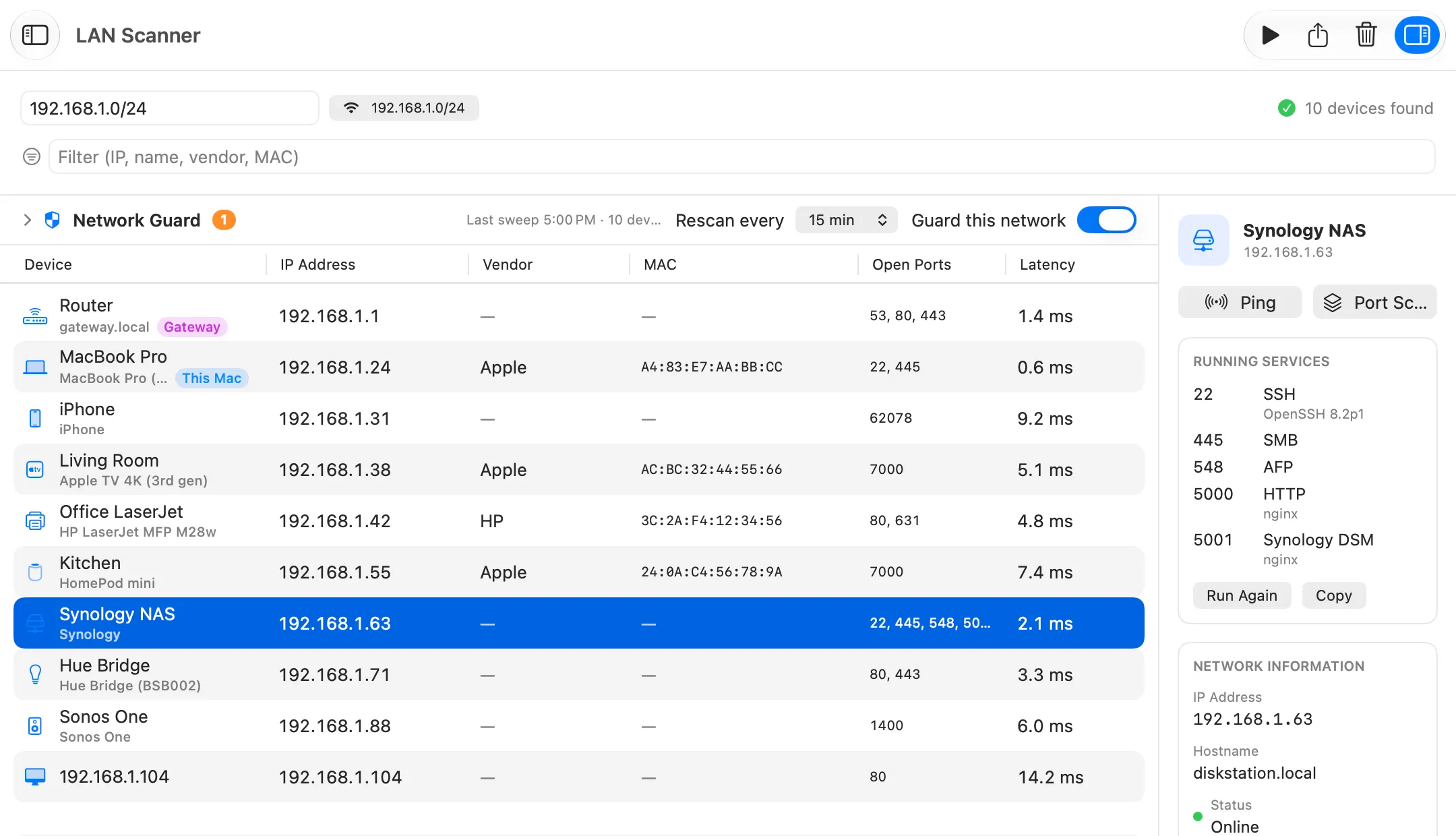
LAN Scanner finds every device on your network, works out what each one is and shows its open ports and latency. Network Guard then tells you the moment an unknown device joins. Part of Netutilus Pro.
Download on the Mac App Store ↗
free to download · macOS 14.6 or later
$ arp -a
$ brew install nmap
$ nmap -sn 192.168.1.0/24
What it’s for
LAN Scanner lists the devices on your local network: computers, phones, printers, TVs, smart-home hubs. It identifies each one from what the device announces about itself. Network Guard can then watch the network and notify you when a device it doesn’t know appears.
Use it when
- You want to know who is on your Wi-Fi.
- You need the address of a printer, a NAS or a camera.
- You want an alert when an unknown device joins.
Reading the result
Under each name is what identified it, such as a model name the device published. A small unsure label marks a guess.
What you might see
- Only this Mac, and devices in grey. macOS is blocking the scan. Allow Local Network access for Netutilus in System Settings › Privacy & Security › Local Network.
- No MAC address for most devices. Recent versions of macOS hide them from apps. Netutilus shows the ones devices publish themselves.
- “Identify your router”, on Wi-Fi. With Location access, Netutilus can name your router from its Wi-Fi access point. It never reads your location.
Options worth knowing
- Network Guard, above the table, rescans on a schedule. Click Trust These Devices once, and it notifies you about every device that joins after that.
- Right-click a device to copy its address, open its web page, or send it to Ping, Port Scan or Uptime Monitor.
Related
- Who is on my network.
- IP addresses and Subnets.
- Port Scan, for any port on any device.
Try LAN Scanner on your Mac
Netutilus puts every network tool in one app. Free to download; Pro is a one-time purchase, never a subscription.
More in Monitoring
- Network MonitorWatches your Mac's network connection live, and logs every change.
- Uptime MonitorChecks your servers, websites and devices on a schedule, alerts you when one goes down, and keeps the history.
- Wi-Fi AnalyzerShows your Wi-Fi signal live, and tells whether a problem is the Wi-Fi or the internet behind it.
- Wi-Fi NetworksScans the Wi-Fi networks around you, shows which channels are crowded, and suggests a better one.