Uptime Monitor for Macpro
Uptime Monitor checks your servers, websites and devices on a schedule and notifies you when one stops answering. It runs from your Mac, keeps the history and shows the status in the menu bar. Part of Netutilus Pro.
Download on the Mac App Store ↗
free to download · macOS 14.6 or later
$ while sleep 60; do curl -sf https://example.com >/dev/null || say "site down"; done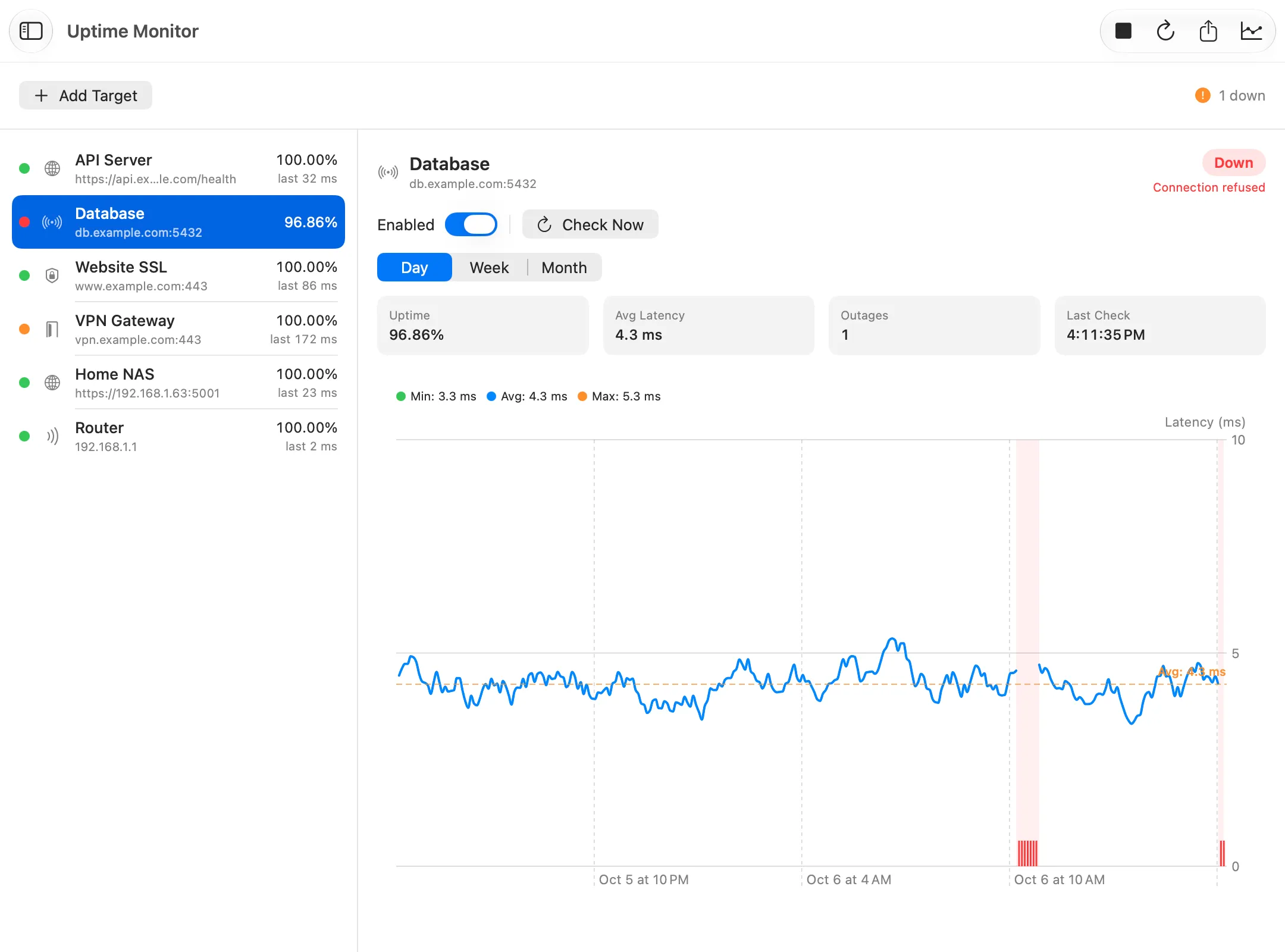
What it’s for
Uptime Monitor keeps checking the hosts you care about, from every few seconds to every few minutes. It tells you when one stops answering, slows down, or has a certificate about to expire. Every check is recorded, so you can see when a problem began and how long it lasted.
Use it when
- You run a website, a server or a home NAS, and want to know when it’s down.
- You want proof of how reliable a service, or your own connection, has been.
- You want a warning before a certificate expires.
Reading the result
Above the chart, the history says how much of the period was actually monitored. Uptime is counted over that time only. Below it, the events list names every outage, slow stretch and gap. Click one to see it on the chart.
What you might see
- Hatched areas, Not monitored. The Mac was asleep or offline, or monitoring was stopped. That time doesn’t count against uptime.
- Paused. On a hotspot or other metered connection, targets on your local network pause, since they can’t be reached from there. When the Mac is offline, every target pauses.
- Can’t check. The check can’t run as it is set up, for example because macOS refused access to a header saved in the keychain. It isn’t counted as the host failing, and you are told once.
Options worth knowing
- Check kinds: ping over TCP or ICMP, a web address (its status code, and optionally text the page must contain), a certificate’s expiry, or an open port.
- Check Now runs one check without recording it.
- Export the period on screen as a PDF report, an image, CSV or JSON.
- The menu bar shows the monitor’s status.
Related
- Watch a server and get alerted when it goes down.
- SSL Certificate.
- Ping, for a quick look at one host.
Try Uptime Monitor on your Mac
Netutilus puts every network tool in one app. Free to download; Pro is a one-time purchase, never a subscription.
More in Monitoring
- LAN ScannerFinds the devices on your network, works out what they are, and can tell you when a new one joins.
- Network MonitorWatches your Mac's network connection live, and logs every change.
- Wi-Fi AnalyzerShows your Wi-Fi signal live, and tells whether a problem is the Wi-Fi or the internet behind it.
- Wi-Fi NetworksScans the Wi-Fi networks around you, shows which channels are crowded, and suggests a better one.